Now in Beta — Free for everyone

Your entire work life,
beautifully unified.

Tasks, email, and calendar together with on-device AI. email. calendar. Kanban boards. All in one app.

3-in-1 Tasks · Email · Calendar
On-device AI — Private by default
🌙 Off Duty Work/life separation built-in
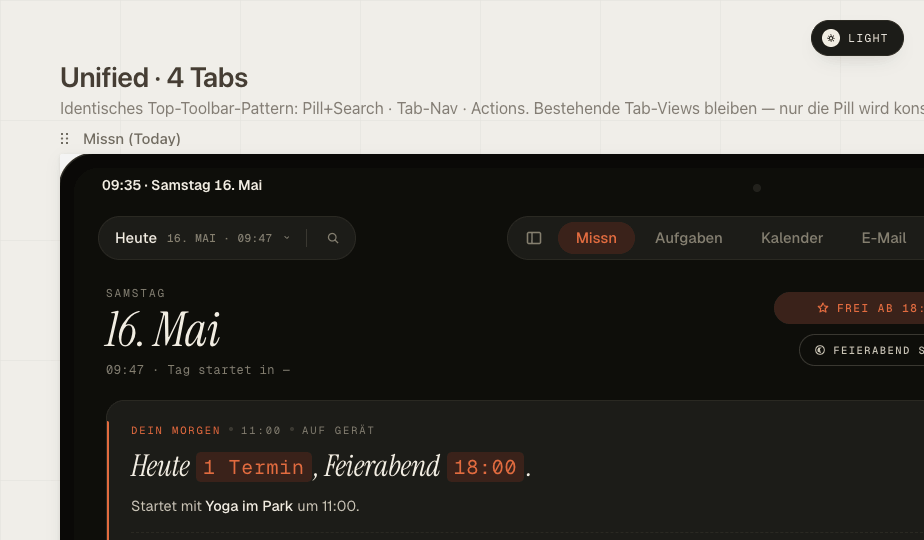
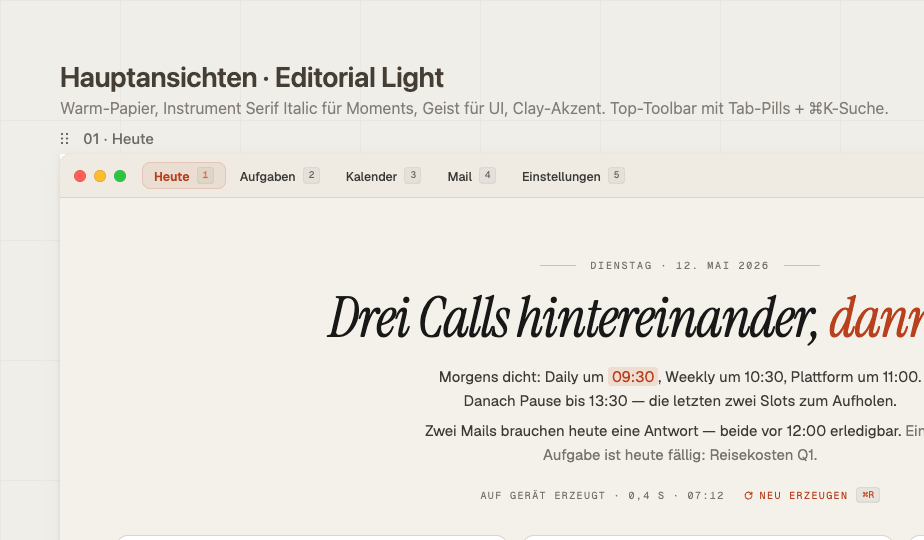
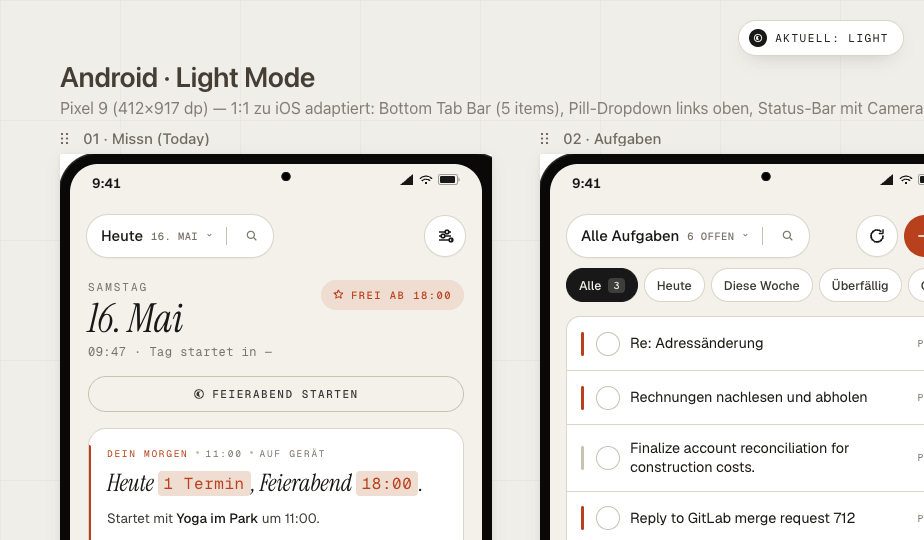
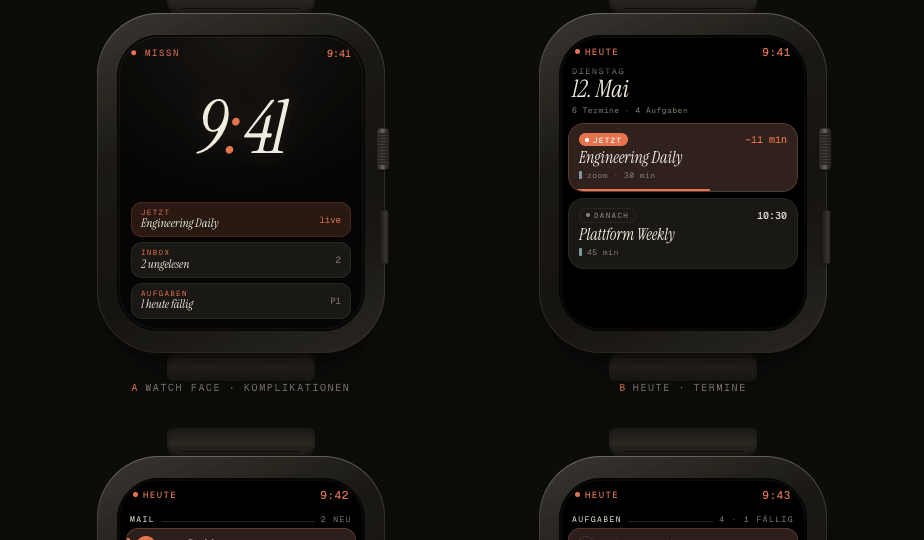
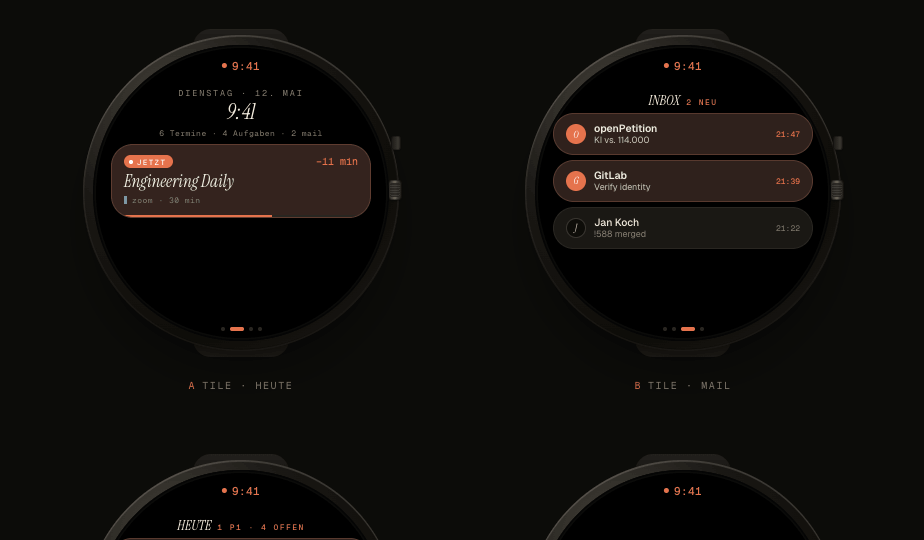
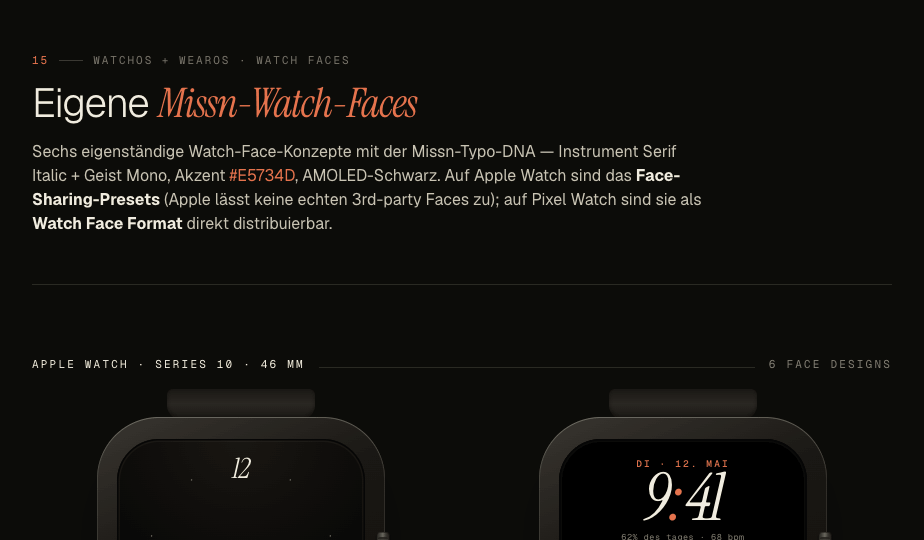
5 platforms iPhone · iPad · Mac · Android · Watch
To Do 4
Review Q2 roadmap deck
High
Set up onboarding flow
Medium
Write release notes
Low
In Progress 2
Redesign pricing page
HighAI draft
API integration tests
Medium
Done 6
User interviews — March
Done
Deploy v1.2 to production
Done
Mon
Tue
Wed
Thu
Fri
Sat
Sun
10
11
12
13
14
15
16
17
18
19
20
21
22
23
9:00 AM Team standup · Daily
11:00 AM Design review — Q2 features
3:00 PM Investor update call · Zoom
Good morning — your daily briefing
You have 3 unread emails that need attention, including a PR review from Sarah. Your day has 3 meetings starting at 9 AM. 2 tasks are overdue from yesterday. AI suggests prioritizing the design review before the investor call.
✍️
Draft reply
AI writes a reply based on your style
📊
Summarize thread
Get the key points from long threads
🗂
Auto-categorize
AI sorts your inbox intelligently
📋
Task from email
Extract action items automatically

Up and running in minutes.

No complicated setup. No learning curve. Just download, connect, and get productive.

1

Download Missn

Install on your iPhone, iPad, Mac, or Android device. Free to start — no credit card required.

2

Connect your accounts

Link your Google or Microsoft email and calendar in seconds. Your data stays on your device.

3

Get productive

AI learns your patterns and starts surfacing briefings, drafts, and smart suggestions from day one.


Everything you need.
Nothing you don't.

Built around how you actually work — not how software thinks you should.

📋

Kanban Task Boards

Visual Kanban boards with drag-and-drop, priorities, and customer tags. Add tasks in natural language.

  • Natural language input — "Call Sarah tomorrow at 3"
  • Priority levels: critical, high, medium, low
  • Customer & project tagging
  • Subtasks & checklists
✉️

Email

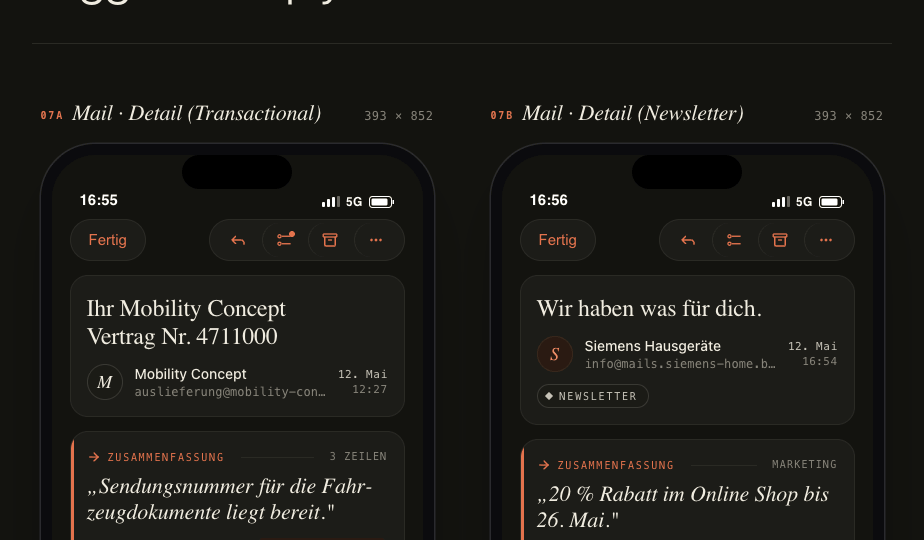
Lightning-fast email with keyboard shortcuts, snooze, scheduled send, and undo send — across Google and Microsoft accounts.

  • Multi-account: Gmail + Outlook
  • Snooze & scheduled send
  • Undo send
  • VIP inbox & focus mode
  • Full keyboard shortcut support
📅

Calendar

Day, week, month, and agenda views with recurring events, conference URLs, and natural language parsing.

  • Day / Week / Month / Agenda views
  • Recurring events
  • Auto-fill conference URLs
  • Natural language event creation

Apple Intelligence & Gemini Nano AI

On-device AI that understands your work — daily briefings, email summaries, smart categorization, and draft replies.

  • Daily morning briefings
  • AI-drafted email replies
  • Smart inbox categorization
  • On-device — private by default
⌨️

Keyboard-First Design

Navigate your entire workflow without touching the mouse. Navigate with blazing-fast keyboard shortcuts.

  • Full keyboard navigation
  • Command palette
  • Customizable shortcuts
  • Focus mode for deep work
🌐

True Cross-Platform

A consistent, native experience everywhere — iPhone, iPad, Mac, Android, and Apple Watch. Pick up where you left off.

  • iPhone & iPad (native SwiftUI)
  • Mac (native AppKit)
  • Android
  • Apple Watch glances

🌙 Off Duty Mode

Work stops.
Life continues.

Set your work hours and Missn automatically silences work emails, tasks, and notifications when you're off the clock. Personal accounts stay fully active — so you never miss what matters to you.

  • Set custom work hours per day of the week
  • Work accounts auto-silenced outside office hours
  • Personal accounts always active — never silenced
  • Separate personal and work identity in one app
  • Apple Watch — no work pings on your wrist after hours
🌙
Off Duty Mode
Active · Resumes 9:00 AM
Work emails, tasks, and notifications are silenced. Enjoy your evening.
💼
Work — Google · Outlook
Silenced until 9:00 AM tomorrow
Paused
🏠
Personal — Gmail
Always active
Live
Work Schedule
Mon – Fri9:00 AM – 6:00 PM
SaturdayOff all day
SundayOff all day

✨ Apple Intelligence & Gemini Nano

On-device AI that actually knows your work.

Missn uses on-device AI — meaning your data stays on your device, always. No cloud processing, no privacy trade-offs. Just intelligence that works for you.

  • Daily briefings — start every day informed
  • Email summaries — understand threads instantly
  • Draft replies — in your own voice
  • Auto-categorization — inbox zero, finally
  • Task extraction — never miss an action item
  • Smart scheduling — AI suggests the best time
🌅 Morning Briefing
You have 3 priority emails, 2 overdue tasks, and a full afternoon. AI suggests clearing your inbox before the 11 AM design review.
✍️ Draft Reply Ready
"Hi Sarah, thanks for the review. I'll incorporate your feedback on the onboarding flow and share an updated version by Thursday. — K"
📋 Task Extracted
From Tom's email: "Send updated Android build specs" — Added to In Progress. Due: tomorrow.

Wherever you work.

Native apps on every platform you use — built with the same care and attention to detail.

📱 iPhone
📲 iPad
💻 Mac
🤖 Android
Apple Watch

Simple, honest pricing.

Start free. Upgrade when you're ready.

🎉 Everything is free during beta — no credit card required
Free
€0
forever free
Everything you need to get started. No credit card required.
  • Kanban task boards
  • Tasks & local calendar
  • Calendar (basic views)
  • iPhone & iPad app
  • 30-day history
Get started free
Business
5.99
per month
For professionals who need multiple email accounts.
  • Everything in Pro
  • 3 email accounts
Contact us
🎉 Free during beta

Start your most productive day yet.

Unify your tasks, email, and calendar in one app. Free to start — no credit card needed.

Get Early Access — Free ↗ Learn more